Shared shopping list
Your household's list, in the order you walk the shop.
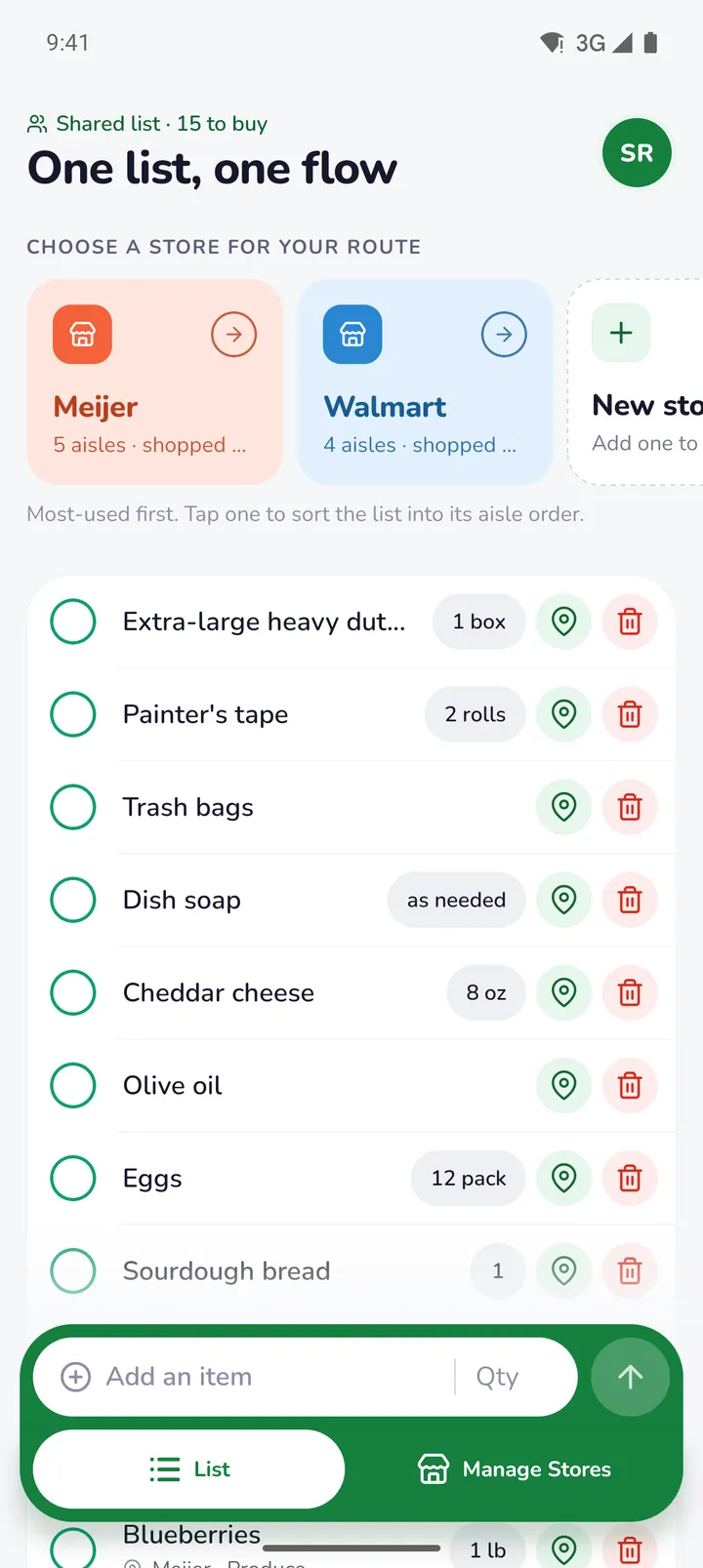
Lysflo is one shopping list for everyone at home. Pick the store you're in and the list sorts itself aisle by aisle, so the milk comes up when you reach the dairy, not after you've walked past it.
Free. No ads. For iPhone and Android.
How it works
Three steps, and the first one you only do once.
- 1
Walk through your store
Tap the aisles in the order you pass them, from the door to the tills. Produce, bakery, dairy, frozen. That's your route.
- 2
Add what you need
Type it in the bar at the bottom. Next time, two letters is enough: Lysflo remembers what you've added and where it was.
- 3
Pick the store and go
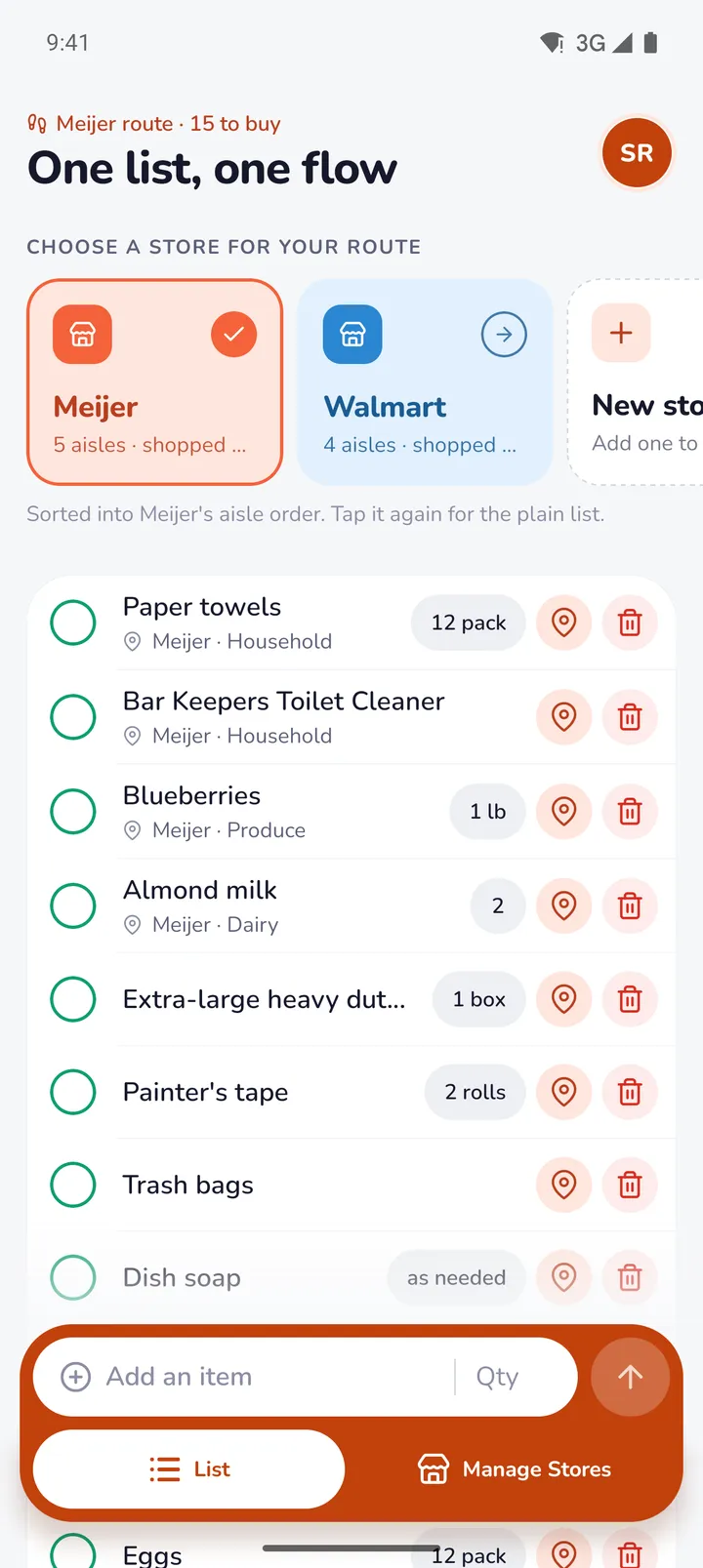
Tap the store at the top of the list. Everything sorts into its aisle order, and the app turns that store's colour so you know which route you're on.
Aisle order
Walk the shop once. No doubling back.
Each store keeps its own route. When you pick it, the list follows that route from the entrance to the checkout, and each item shows the aisle it lives in. Things Lysflo doesn't know a spot for yet wait below the rest.
Shop at two places? Give each one a route. The cards at the top put the store you use most first.
Product memory
It remembers where things are.
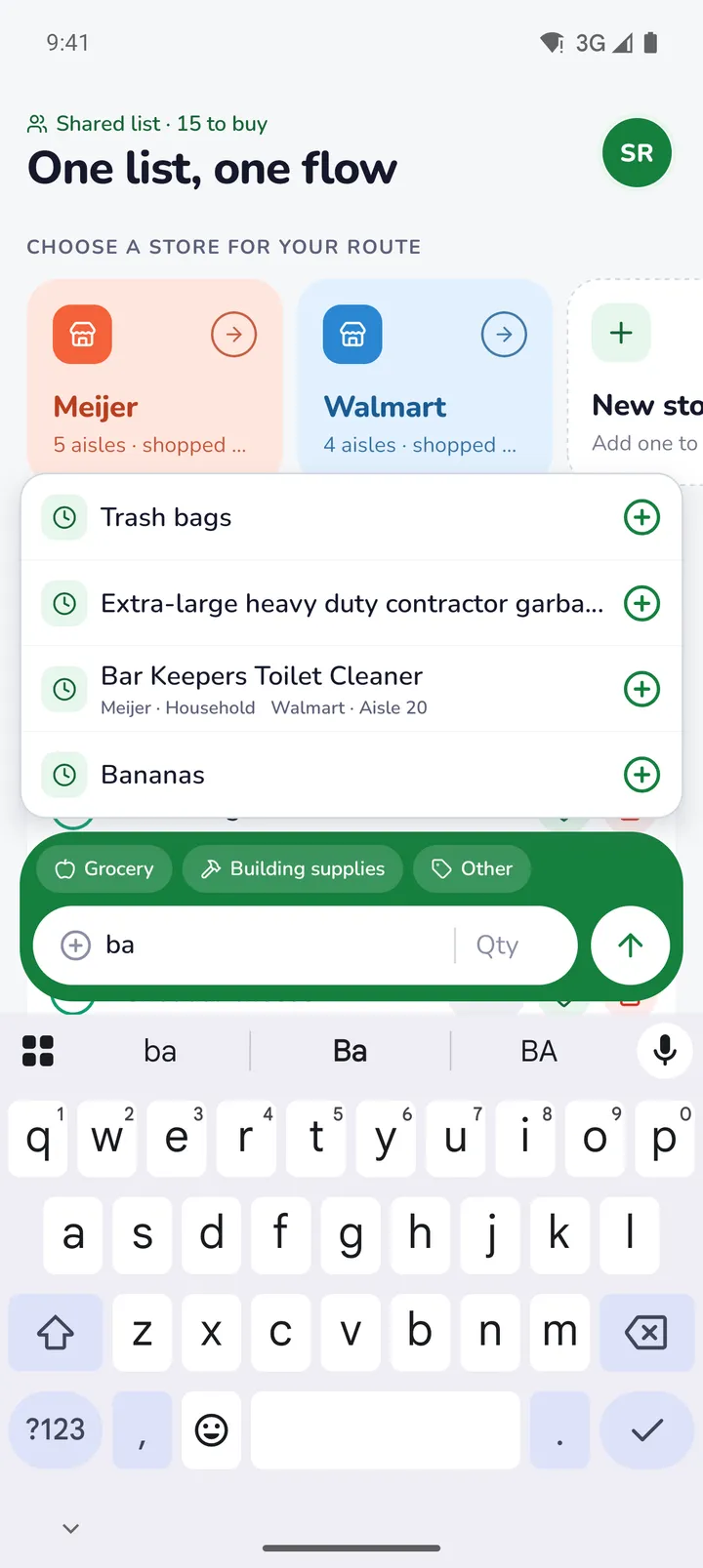
Every product you add is remembered, along with the aisle you found it in at each store. Type "ba" and bananas, trash bags and the Bar Keepers cleaner come back, with their aisles, ready to add with one tap.
It matches any word in a name, and any other name you give a product, so "cilantro" finds the coriander.
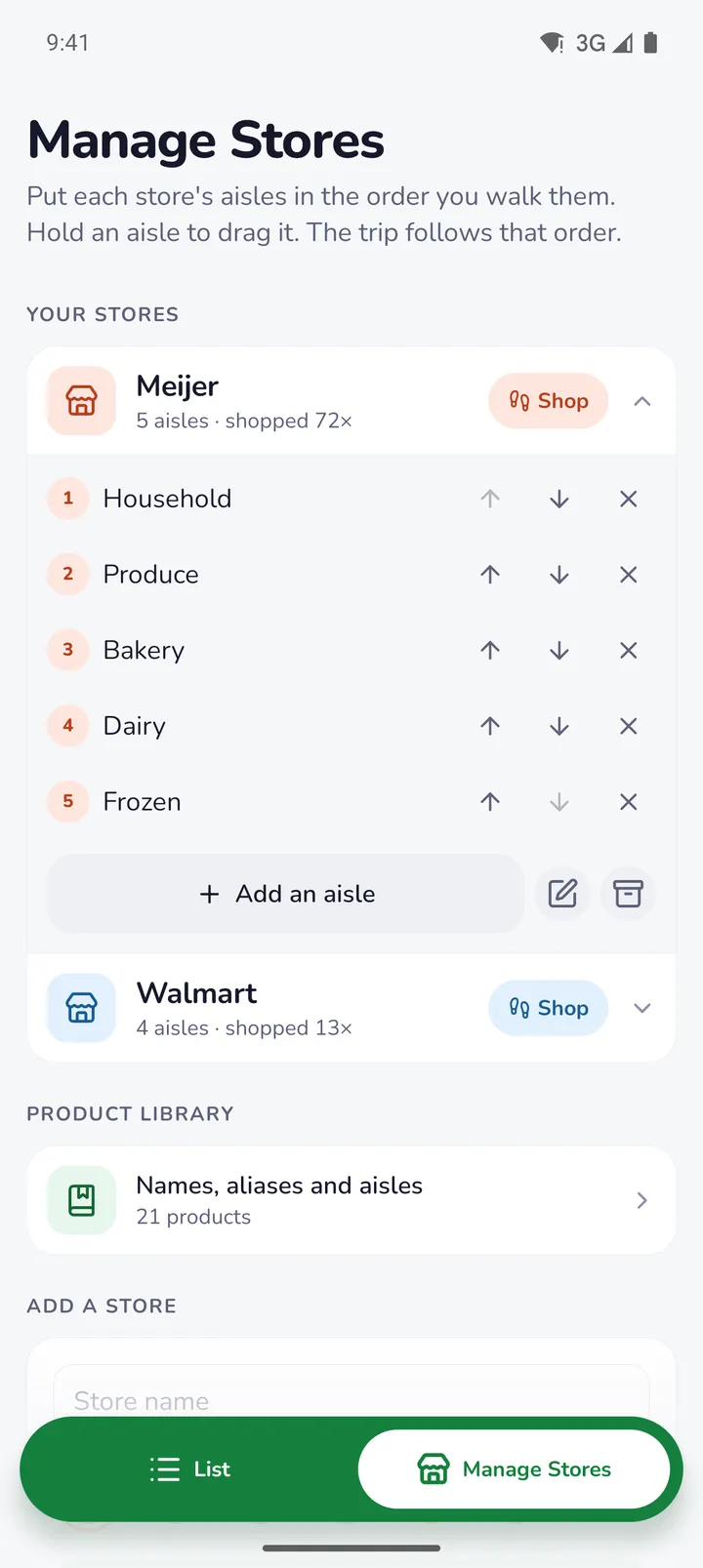
Your stores
Set up each store once.
In Manage Stores, add the aisles in the order you pass them, then hold one to drag it into place, or use the arrows. Give each store a colour so its card is easy to spot.
Store editors can do this too, so whoever knows the shop best can set it up for everyone.
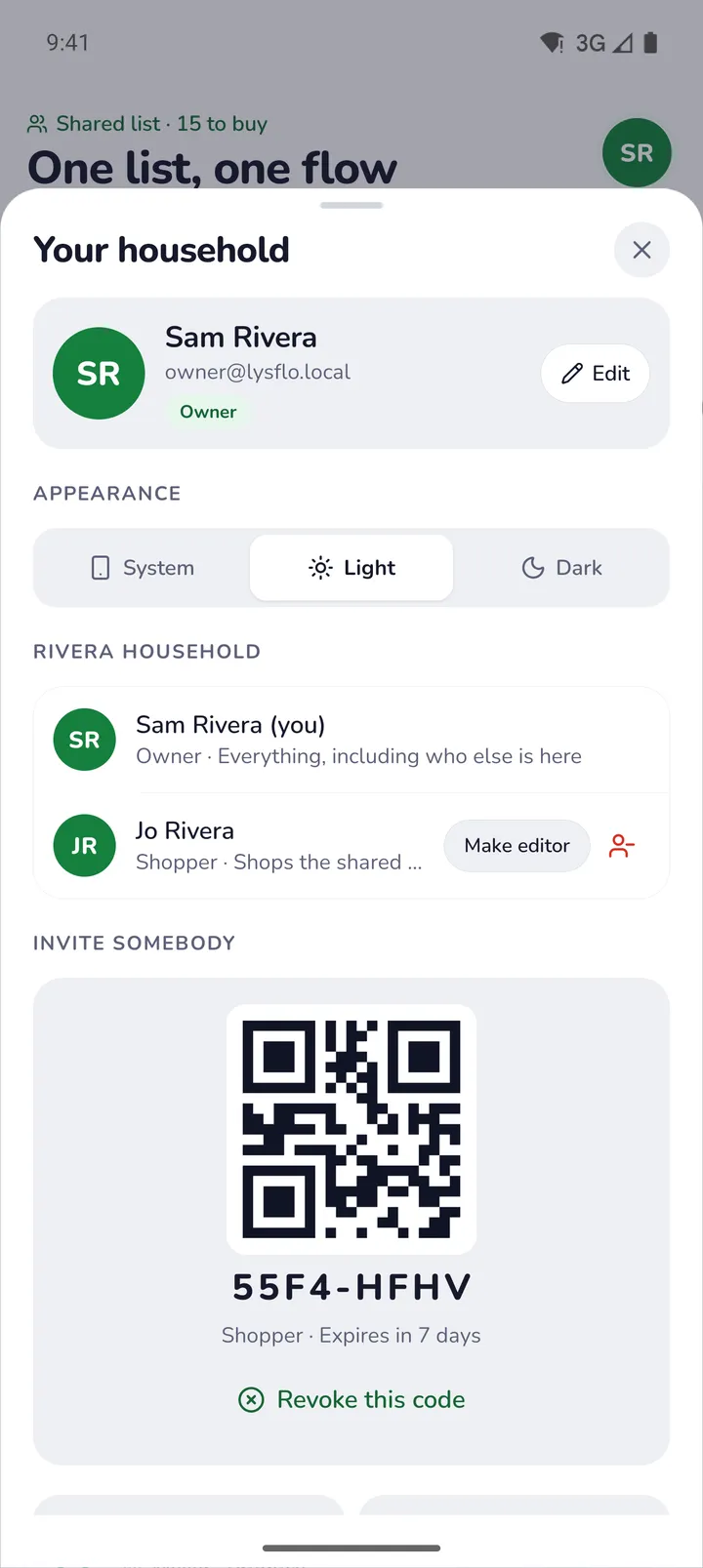
Shared with your household
One list for everyone at home.
Invite people with an eight-character join code, or let them scan it from your screen. Then you all shop from the same list. Add something on your phone and it's on theirs. Tick it off in the store and it's gone from everyone's.
Codes work for a week, and only the household's owner can make one. Anyone can leave a household, and the owner can remove people.
The details
Built for the middle of a busy store.
Works with no signal
The back of a big store is often a dead zone. Lysflo keeps working, saves what you tick off on the phone, and syncs when you are back online.
Undo that puts it back
Ticked off the wrong thing? Undo returns it to the list exactly as it was, amount and aisle included.
Bought it somewhere else
Picked up the milk at the corner shop? Tick it off as bought at another store. It comes off the list, and what Lysflo knows about your usual store stays as it was.
Roles for each person
The owner decides who joins. Store editors help set up stores and aisles. Shoppers just shop.
Amounts in your words
"2", "1 lb", "12 pack", "as needed". Type the amount however you would say it.
Light and dark
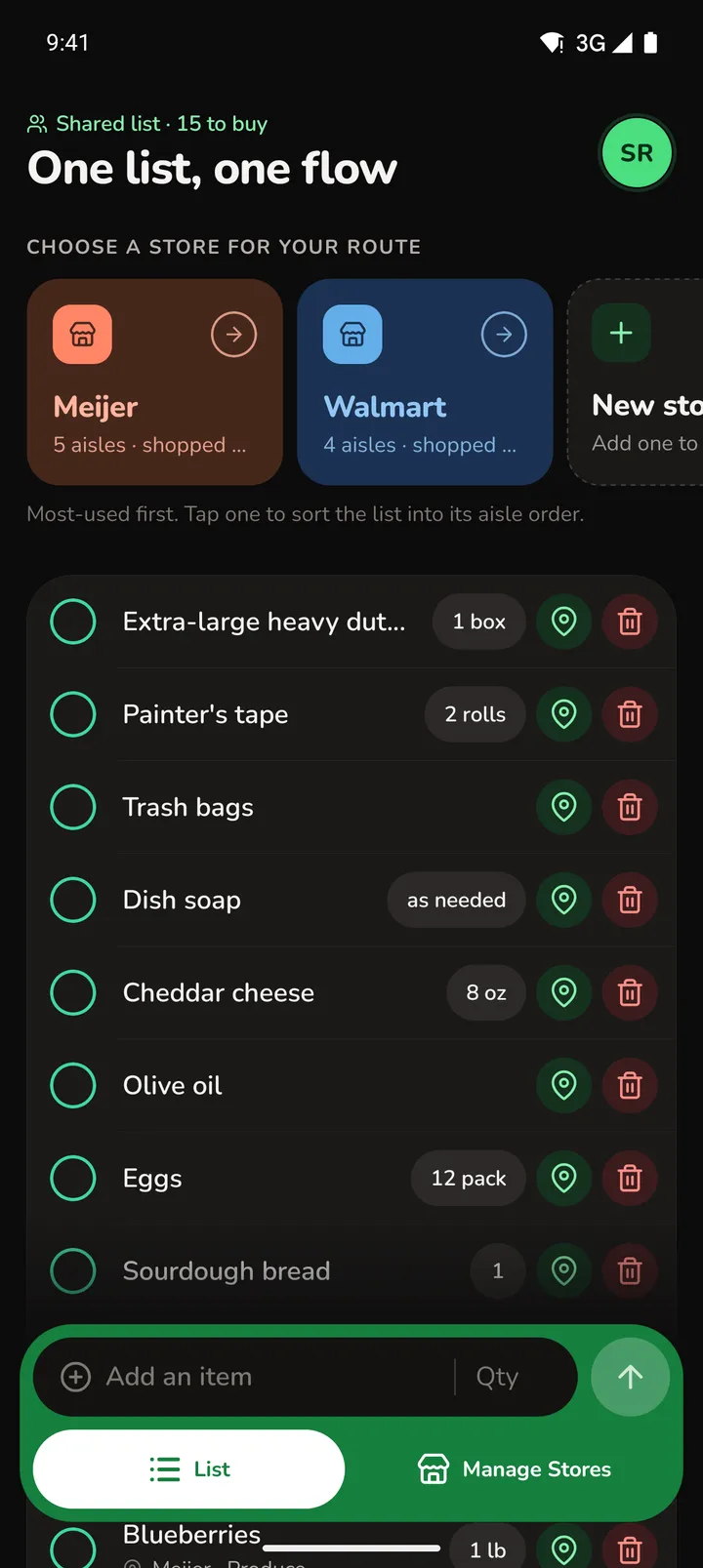
Lysflo follows your phone's setting, or you can pick one yourself under Appearance.
Privacy
No ads. No tracking. Nothing sold.
Lysflo stores your account and your household's list so the app can work, and nothing else. There are no analytics or advertising tools in it. The privacy policy lists every piece of data and who can see it, and you can delete your account from inside the app.
Get Lysflo
Lysflo is in testing now and coming to the App Store and Google Play.